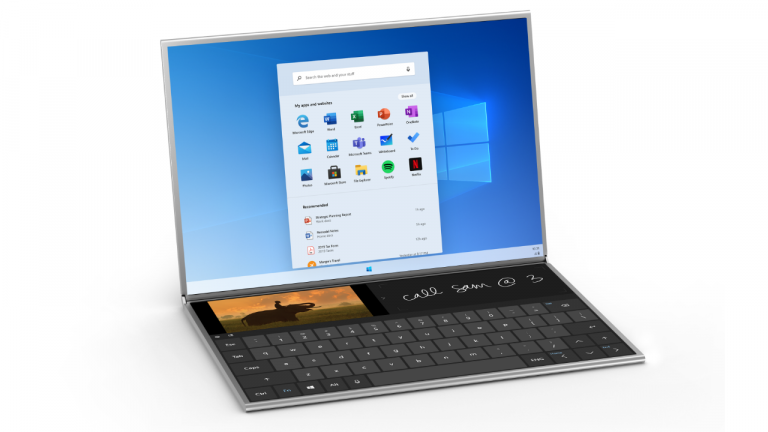
Windows 10X – Everything we know
Hello!
With the imminent arrival of Microsoft’s new operating system, Windows 10X, I think it’s time we gather all the information we have and compile it into a short article that will certainly prove useful in the future. I’d like to remind you that I already wrote an article about this new operating system back in March last year. Some of the information is currently incorrect (this post will also serve to correct those errors), but the rest remains accurate. I would strongly recommend you take a look at that post for a recap. [1]
You can find it here:
So, what do we know?
Introduction
To begin with, and for those who don’t know yet, Windows 10X is Microsoft’s new operating system designed specifically for dual-screen devices (also known as foldables). It will eventually reach that stage, but for now it will be launched on single-screen devices, such as laptops and tablet PCs. [2]
It is not Windows 10, even though it sounds and looks like a new version of that operating system. This OS offers a much more limited experience based on web apps. An always-online system, if you will. It won’t be for everyone as a result.
Foundation
Until now, the various versions of Windows 10 have never been particularly compatible with one another, in terms of both hardware and software. For example, the Windows 10 desktop experience on a mobile phone would be far from pleasant and vice versa. And even UWP apps, despite being quite intuitive, aren’t guaranteed to work on all versions of Windows 10, such as Windows 10 for IoT (Internet of Things) devices. This is where Windows Core OS (WCOS) comes in.
This version of Windows 10 is based entirely on the aforementioned Windows Core OS, Microsoft’s new foundation. With it, Microsoft is building a universal base for Windows that can be used across a variety of devices. Devices such as laptops, tablets or foldables, all of these would be included. Instead of having to develop a new version of Windows 10 for every new type of device that emerges, Microsoft can simply use Windows Core OS, the foundation, to get started. It is worth noting that WCOS has no legacy components, which means it is much lighter and faster, and consequently more efficient. All of this would therefore be created and deployed with less overhead and fewer resources used. [3]
Release date, hardware requirements and application support
This operating system is scheduled for release in the first quarter of this year (2021). It is not a certainty, but it is highly likely, as the operating system is very much complete. You may recall that, in the previous article, I stated that the operating system would be released in late 2020, alongside the Surface Neo. That was not the case. As for the Surface Neo, Microsoft merely mentioned that it would be released in 2021, which in practice meant nothing concrete. As for Windows 10X, however, it’s a different story. It appears that Microsoft will do the opposite of what it had originally planned: instead of launching the OS alongside its dual-screen device first, the company will launch the OS primarily for single-screen devices (laptops and tablet PCs). [2] And this highlights something important…
It seems that the new operating system based on Windows Core OS will compete head-to-head with Google’s OS, ChromeOS. “Why?” you might ask. We all knew that Windows 10X would have much less demanding hardware requirements than its Win32-based counterpart, Windows 10, not least because it wasn’t intended to be a successor to it. Even Microsoft has admitted to this change in strategy, albeit somewhat vaguely:
The world is a very different place than it was last October [2019] when we shared our vision for a new category of dual-screen Windows devices. As we continue to put customers’ needs at the forefront, we need to focus on meeting customers where they are now. Our customers are leveraging the power of the cloud more than ever, and we believe the time is right to lean into this acceleration in a different way.
With Windows 10X, we designed for flexibility, and that flexibility has enabled us to pivot our focus toward single-screen Windows 10X devices that leverage the power of the cloud to help our customers work, learn and play in new ways. These single-screen devices will be the first expression of Windows 10X that we deliver to our customers, and we will continue to look for the right moment, in conjunction with our OEM partners, to bring dual-screen devices to market. [4]
What’s more, Windows 10X has far more notable limitations when it comes to software. It can only run apps from the Microsoft Store (UWP apps) and web apps. Basically, apps that don’t modify system files, create partitions on hard drives, and so on. And what does that remind you of? Exactly, ChromeOS. [5] Think about it: this is the only market Microsoft hadn’t entered at all (ignore Windows Phone (and the Continuum project); that was a different matter 😓). Although Windows 10 has a tablet mode, it still wouldn’t be exactly the same as ChromeOS, as it wouldn’t have the same limitations. And don’t forget that Windows 10 doesn’t perform very well on the hardware that Chrome OS is installed on: lower-resolution screens, the aforementioned less powerful hardware, among other limitations. In short, standard Windows 10 isn’t always the best option. However, that’s no reason to replace it, as more traditional PCs make good use of it.
Operating System Updates
Apart from the new features I mentioned in the previous post, nothing particularly special has been added. Just a few bug fixes and some animation tweaks. Therefore, I will embed a video from Windows Central, which will briefly explain what I covered in the previous article. Note that the Windows 10X build featured in the video is the most recent one that has been leaked, build 10.0.20279.1002.fe_release_10x.201214-1532. [6] [7]
(Created on 14 January 2021; accessed on 3 February 2021)Something I didn’t mention: Windows 10X will feature dynamic wallpapers, very similar to those in macOS Mojave and later releases. What I mean is that these wallpapers will change according to the time of day. If it’s night-time, the wallpaper will display a night-time landscape; if it’s early morning, a morning version will appear.

Example of a dynamic Windows 10X wallpaper
(Source: Windows Central)
Personally, I really like this feature; it makes the desktop much more interactive and varied. I wish regular Windows 10 had this functionality too, but of course, there are always third-party alternatives.
Security
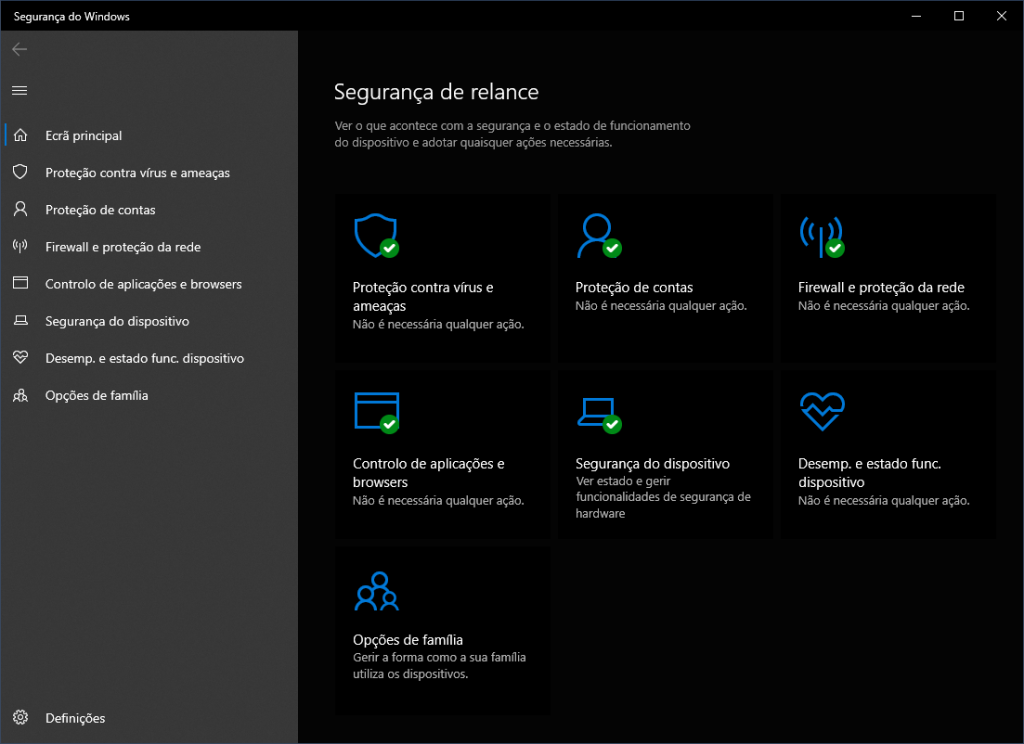
One thing in Windows 10X’s favour is security. One of the new security features is that the operating system is in a ‘read-only’ state for applications, which means that no malware can wreak havoc on system files; in other words, nothing can inject malicious code and/or corrupt files.
If this sounds familiar, it’s because that’s how Windows 10S worked. However, it didn’t work out very well, as you could only run apps from the Microsoft Store, and even then, there wasn’t much variety.
What’s more, Windows 10X comes with the ‘Windows Security’ app, which is also present in standard Windows 10. A very competent antivirus, in my opinion.
Summary
With a potential launch in spring 2021, Windows 10X is a version aimed at mobile users who do not require as much computing power.
It is a direct competitor to Chrome OS, due to the latter’s hardware and software limitations. An internet connection is essential on this operating system, as web and UWP applications are the primary tools for productivity.
Based on the new Windows Core OS foundation, users can expect significantly greater lightness and speed, resulting in more noticeable efficiency. Security has also been enhanced thanks to this new foundation. The new foundation also promises a simpler and more elegant look, making it more intuitive and user-friendly.
This operating system will not replace the desktop version, so it will only be available on devices with lower-spec hardware. Furthermore, this OS cannot be purchased separately.
I hope you enjoyed this article. I’m starting to include the sources I use to produce these articles. I think it gives you some additional context and lends credibility to this post. Furthermore, I believe it looks more professional.
Take care and see you next time! :)
References
- Ricol,
Windows 10X? The Future of Microsoft… (analysis),
Mar. 7, 2020. [Online]. Available: https://ricol03.fenesisu.moe/windows-10x-the-future-of-microsoft/ - Z. Bowden,
Windows 10X will now launch first on single-screen PCs,
May. 4, 2020. [Online]. Available: https://www.windowscentral.com/windows-10x-single-screen-laptops-confirmed [Accessed: Feb. 4, 2021]. - Z. Bowden,
Windows Core OS: The complete guide,
Oct. 30, 2019. [Online]. Available: https://www.windowscentral.com/windows-core-os [Accessed: Feb. 4, 2021]. - P. Palay,
Windows Blogs - Accelerating innovation in Windows 10 to meet customers where they are,
May. 4, 2020. [Online]. Available: https://blogs.windows.com/windowsexperience/2020/05/04/accelerating-innovation-in-windows-10-to-meet-customers-where-they-are/ [Accessed: Feb. 4, 2021]. - M. Muchmore,
What Is Windows 10X and Can It Compete With Chrome OS?,
Jan. 24, 2021. [Online]. Available: https://www.pcmag.com/how-to/what-is-windows-10x-and-can-it-compete-with-chrome-os [Accessed: Feb. 3, 2021]. - Z. Bowden,
Hands-on with Windows 10X for single-screen PCs (video),
Jan. 14, 2021. [Online]. Available: https://www.windowscentral.com/hands-windows-10x-single-screen-pcs [Accessed: Feb. 3, 2021]. - BetaWiki,
Windows 10X build 20279.1002,
Jan. 14, 2021. [Online]. Available: https://betawiki.net/wiki/Windows_10X_build_20279.1002 [Accessed: Feb. 3, 2021].